Old Computer Challenge 2026
July 5, 2026 (updated July 14, 2026)
After missing the challenge for the last few years, and catching up later by reading the various blog posts, 2026 is finally the year I wake up in time to catch the train! If you don't know what the Old Computer Challenge is, have a look at the official page. I'll be updating this page as the week goes by.
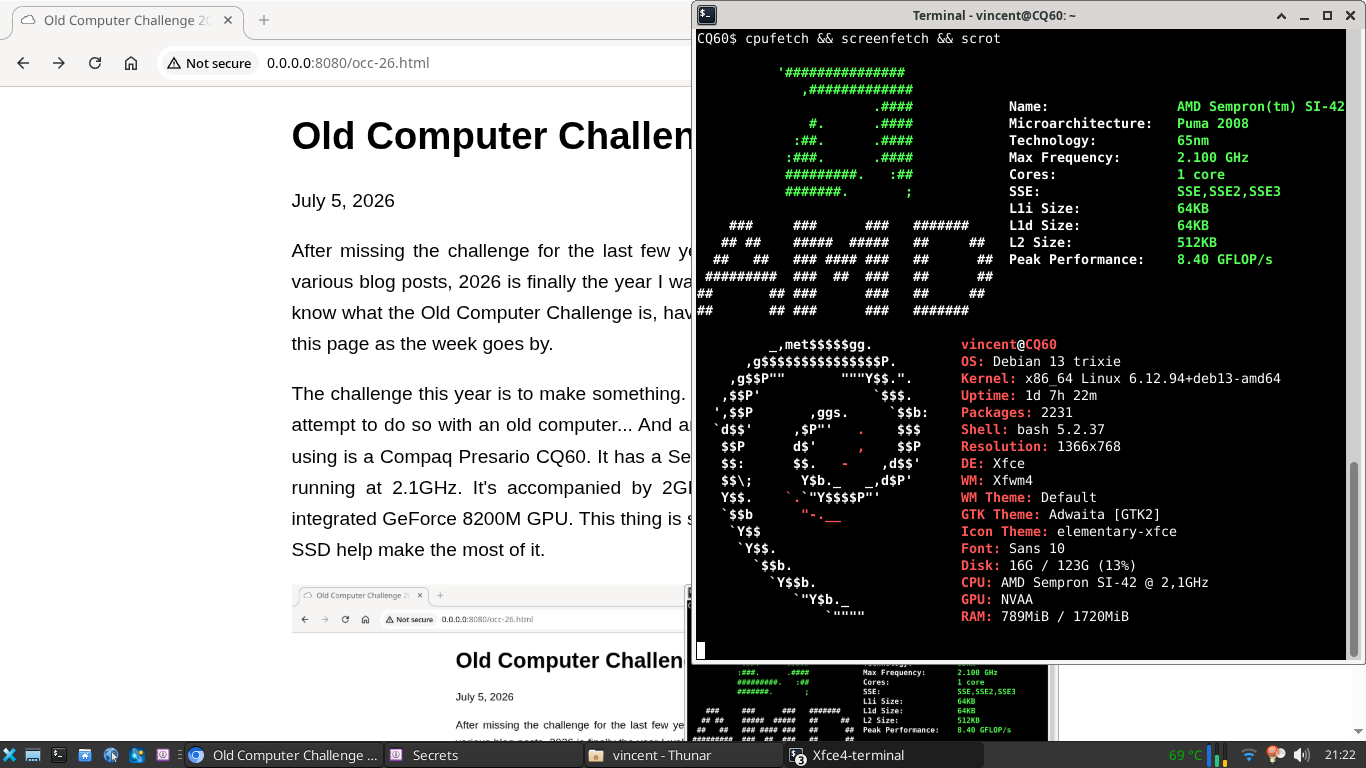
The challenge this year is to make something. To keep in line with the challenge name, I'll attempt to do so with an old computer... And an old smartphone, too! The computer I'll be using is a Compaq Presario CQ60. It has a Sempron CPU sporting a single AMD K8 core running at 2.1GHz. It's accompanied by 2GB of DDR2 memory at 533MT/s, and an integrated GeForce 8200M GPU. This thing is slow, but a lightweight Debian install and an SSD help make the most of it.
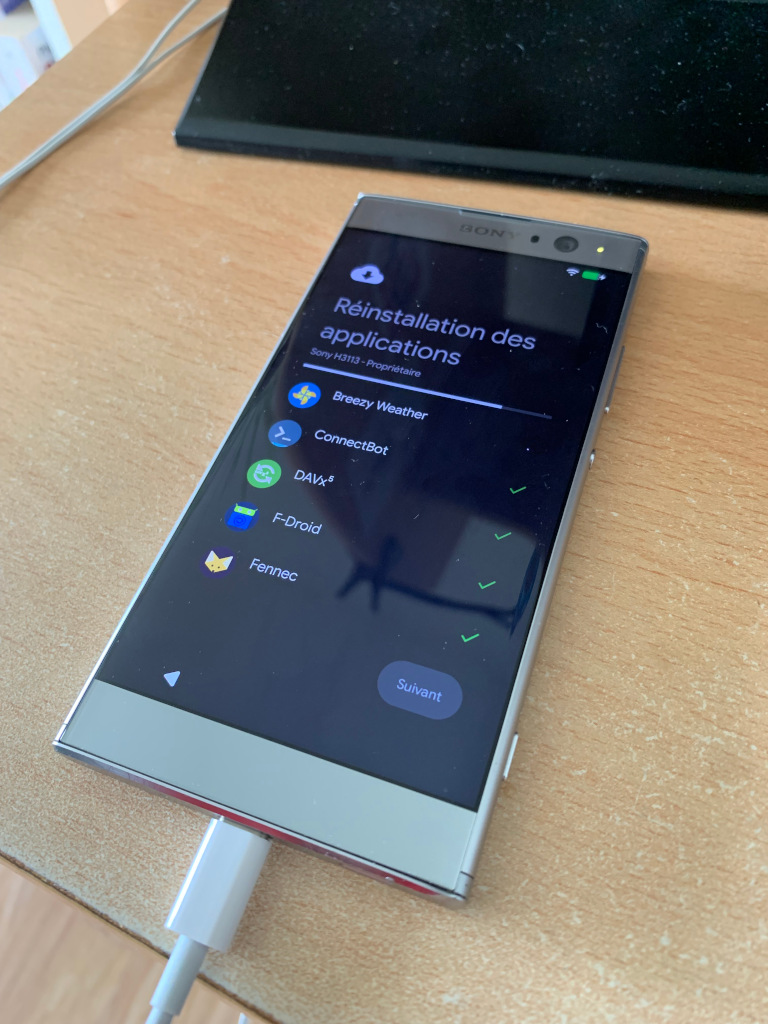
To spice things up a bit, I'll put my iPhone in a drawer for the week and replace it with a Sony Xperia XA2 running the latest Android thanks to Lineage OS. The real spicy thing about it is that I didn't install Google Play Services on it. I only have MicroG instead.
As for the making part, I'll attempt to work on one or both of 2 software:
- Vault, an "opinionated web-based file manager" I've been working on for some time. Progress has mostly slowed to a crawl since I realized SFTP is probably better suited to what I've been trying to achieve. But I still like to use it from time to time.
- The Perl script I use to transform my blog from a bunch of Markdown files to an actual HTML website. The idea would be to add a Markdown to Gemtext function to it so that I can publish my blog articles also on my Gemini capsule.
Given that my job usually takes a pretty big part of my time and energy during the week, I don't expect much progress on any of these 2 objectives, but we shall see!
Day 1
I did not use the computer much during day 1, but from what I did use it, it seems adequate for everything but JavaScript heavy websites. Well, that's not a surprise, really. At least it has enough RAM to load the heavy pages without touching swap. Actually, watching the RAM counter and hearing the fan ramp up while the CPU is slowly churning through the JS is a fun past-time.
The little Xperia did see more serious use, though, as expected for one's main smartphone in this day and age. I already experimented with it last year in this very software configuration, so I knew that it would handle most things just fine. I can browse the web, read and send emails, do instant messaging, listen to music and podcasts, heck, even my bank, bus and gym apps work fine on it. Those ones were installed through Aurora Store though, because they are not available on F-Droid. Last year, there was one pain point: geopositioning. It would work just fine after a fresh Lineage install, but would mysteriously stop working after the first OTA update. At the time, I believe Lineage OS 23.0 was current. I flashed a fresh 23.2 a few days ago, and won't attempt any OTA update because I don't keep a fond memory of trying to find my way without geopositioning. Happened once and it's enough. I use Organic Maps for my GPS needs, it's the best app I could find for the job on F-Droid. Speaking of geopositioning, I have to admit that Apple's and Google's services are quite advanced compared to just talking with satellites. For instance, those services can find your position while you are indoor, while my Xperia won't find it as soon as I have a roof on top of my head. Being outside or on a roof is mandatory. Also, they find the position very fast, while I've had to wait up to a minute sometimes with my setup. Those are small annoyances that make geopositioning impractical to use when you need to check things quickly, like a weather app, for instance. It makes geopositioning a deliberate thing. Which is a good thing, in fact.
Days 2-5
During the first days of the week I managed to create this blog post on the Compaq. The workflow is simply based on a Makefile and a Perl script that create the site from Markdown files. Though, the script does use a few dependencies from CPAN (3 actually), and those took a long time to install on the laptop. Don't know why, but I had to launch the dependency install twice, because it did not install everything right from the start. All this to say, I'm not a huge fan of CPAN and have been considering getting rid of it for some time. The most advanced dependency I use is the Markdown to HTML translator but it wouldn't be too difficult to write my own. Once the dependencies were setup though, regenerating the full site only required a few seconds. I'm satisfied with this level of performance.
After the blog stuff, another challenge awaited the Compaq: an online form that I had to fill, on a badly designed website. So badly designed, in fact, that I had to fill the form twice, because it did not register the first time. Though, the second time I powered on my desktop PC, because the Compaq was just too slow to load the pages and I wanted to go to sleep. That goes to show how bad most modern websites are.
Up to this point, I had been using XFCE on the laptop, but wondered whether LXQt could work better, because I feel like GTK has gotten bloated in the last few years. So I set out to install LXQt, test it, and finally decided that XFCE was a better fit for me. But that's not what I want to talk about here, I'd like to rant a bit about Debian and how complex it feels. The process of removing LXQt after having installed it was not fun: removing the meta-package did not uninstall all the applications that came with it. I ended up tracking them down in XFCE's menu and removing them one by one. I shouldn't have needed to do that to begin with, but on the next boot I discovered that this process had seemingly removed the displaymanager service that Debian uses to manage the display manager. I don't know how that is possible but the end result was a system that left me at the command prompt without any prior warning. I found and enabled a lightdm service and everything was back to normal again, at least from the outside, because I now know that inside, there is one less service installed. What was its purpose, exactly, if I can get the same result without it? Don't get me wrong, I am likely responsible for this because there was some step that I did not understand correctly. But that is exactly my point: coming from OpenBSD, Debian feels too complex for what it does, which favors unexpected or undefined behavior in the process. That's actually one of the reasons I switched to BSD in the first place. This little mishap will serve as a good reminder to myself that no, the Linux situation does not allow a switch back.
The Xperia side of things was smooth sailing in comparison. With its 8 core SOC and 3GB RAM, I guess it's even more powerful than the Compaq. In any case, it was powerful enough to accomplish all the tasks that I needed from it during the week. I suspect the battery was changed when I bought it refurbished last year. In any case, the battery life was sufficient, with my light smartphone use, most days ended with 40 to 50% left. The highlight of the week was an almost hour-long Signal conference call that did drain the battery more than usual, but the battery saver kicked in after the call and allowed the phone to keep operating until the end of the day. I have to say that the battery drain felt much more predictable than my iPhone's, which was very reassuring. Though, my iPhone is 8 years old at this point and is running its original battery. On the iPhone comparison side of things, the Xperia is a bit smaller and a fair bit lighter, which did make general use a bit more pleasant. It's also running the latest Android software stack, which is nice considering my iPhone is stuck on iOS 18 forever. Now this up-to-date software stack might also be the biggest drawback of the Xperia because the general heaviness of the OS and the apps make it impossible to multi-task on it. Needing to copy some info from one app to the other gets frustrating really fast, because the previous app needs to be reloaded when switching back to it, and it sometimes does not retain its previous state while doing so. I guess that's a consequence of the hardware becoming limited with regards to current software, though the iPhone has the same amount of RAM and handles multi-tasking much better.
Days 6-7
The last days, I finally started to work on Vault. I managed to get it to compile on Linux, and started work on a Landlock sandbox to replicate OpenBSD's unveil(2) behavior. Since Vault allows to browse files on the server, I make it a priority to sandbox it so that access is denied outside of its data directory. Coming from unveil, Landlock feels very difficult to use: it took me the better part of an evening and 100+ lines of C code to build the fairly simple Vault sandbox with it. When the time came to run Vault on my Debian install, I was once again faced with unmanageable complexity when trying to setup Apache to serve my little CGI script. I just couldn't wrap my head around the conf-available, conf-enabled, sites-available and sites-enabled madness that is the default configuration on Debian. The end result is that I don't know what is enabled, what is not, and whether my configuration changes were actually taken into account or overridden by one of the files from one of the previously cited directories. I finally decided that I shouldn't need an evening to learn to setup a web server, so I switched to lighttpd instead. Once again, I was greeted with the -available and -enabled directories, but this time it was clearer how those were used from the main configuration file. I discarded those directories completely and wrote my own standalone lighttpd.conf. You can find this example configuration in Vault's readme. The hours lost on this make me appreciate OpenBSD's httpd(8) even more.
To conclude about the challenge, the devices I chose to use were slower than my usual ones, but I was able to accomplish most of what I needed with them. I do realize that this in part due to my own workflows being lighter than average. When I was faced with a heavy website totally out of my control, the experience degraded quickly on the Compaq. Now that the challenge is over, my desktop PC and my iPhone feel even faster than before. For a short while, until I get used to their speed again, I get to appreciate it better. That's a win.